AI-generated example
Blend Two Separate Photos Into One Natural Group Shot
Combines people from two different photos into one believable picture, with matched lighting, scale and shadows, using Gemini's Nano Banana.
Photo edit prompts for Nano Banana, the image model in Gemini: restore an old photo, blend separate shots into one, try on an outfit or change only the light.
20 prompts · Updated
| Prompt | What you get | Use |
|---|---|---|
| Blend Two Separate Photos Into One Natural Group Shot | Combines people from two different photos into one believable picture, with matched lighting, scale and shadows, using Gemini's Nano Banana. | Image |
| Handmade Scrapbook Page From Your Photos | Arranges several of your photos into one handmade-looking scrapbook page with washi tape, ticket stubs, pressed flowers and doodles. | Image |
| Keep the Same Character Across a Four-Scene Story | Uses one reference photo or character to make four consistent scenes in a grid, with the same face, outfit and style in each frame. | Image |
| Put Your Pet Into Your Family Photo | Adds your pet from a separate photo into a family or couple photo, sitting naturally with everyone, with matched light and scale. | Image |
| Remove Strangers From the Background of a Travel Photo | Cleans up a crowded travel photo by removing passers-by and clutter from the background while keeping you and the landmark untouched. | Image |
| Restore and Colourise an Old Family Photo | Repairs a scanned old photo, removing scratches, tears and fading, and adds natural, period-appropriate colour without changing faces. | Image |
| Thanksgiving Table Family Photo From Separate Photos | Combines separate photos of family members into one natural, warm photo of everyone around a Thanksgiving dinner table. | Image |
| Try On an Outfit From a Product Photo | Puts a piece of clothing from a shop photo onto you in your own photo, keeping your pose and body, so you can see it before buying. | Image |
| Turn a Rough Sketch Into a Finished 3D Render | Turns your rough pencil sketch or doodle of an object, character or room into a polished 3D render that keeps the same shapes and layout. | Image |
| Turn Your Summer Photo Into a Snowy Winter Scene | Changes the season of any outdoor photo to deep winter, with snow on every surface and cold light, while keeping people and buildings the same. | Image |
| Change Only the Lighting of Your Photo to Golden Hour | Relights an existing photo as if it were taken at golden hour, with warm low sun and long shadows, without changing anything in the scene. | Image |
| Swap One Object in Your Photo and Keep Everything Else | Replaces a single object in your photo with something new while leaving the rest of the picture untouched, with matching light and shadows. | Image |
| Change the Camera Angle of Your Product Photo | Generates new views of your product (top-down, side, three-quarter) from a single photo, keeping its design and label consistent. | Image |
| Natural Window-Light Portrait From a Selfie | Turns an ordinary selfie into a soft, natural-light portrait that looks like it was shot by a photographer beside a large window, with your face kept exactly as it is. | Image |
| 1920s Silent Film Still of You | Places you in a black-and-white 1920s silent movie scene, with dramatic make-up, period costume and flickering, scratched film. | Image |
| 1960s Slide-Film Holiday Photo of You | Turns a photo into a sunny 1960s holiday slide with rich reds and blues, period swimwear or resort clothes and a seaside backdrop. | Image |
| 1980s Ski Lodge Film Photo | Puts you in a bright retro ski outfit outside an alpine lodge in the 1980s, with on-camera flash, snow glare and faded film colour. | Image |
| 90s Cel Anime Opening Shot of You | Turns your photo into a frame from a 1990s hand-drawn TV anime opening, with cel shading, film grain and a dramatic sky. | Image |
| Black-and-White Manga Panel of You With Screentone | Draws you as a character in a black-and-white manga page panel, with ink linework, screentone shading and dramatic speed lines. | Image |
| Bobblehead Figure of You on a Car Dashboard | Makes a glossy bobblehead figure of you with an oversized head and your real outfit, standing on a car dashboard with a sunny road behind. | Image |
Combines people from two different photos into one believable picture, with matched lighting, scale and shadows, using Gemini's Nano Banana.

Arranges several of your photos into one handmade-looking scrapbook page with washi tape, ticket stubs, pressed flowers and doodles.

Uses one reference photo or character to make four consistent scenes in a grid, with the same face, outfit and style in each frame.

Adds your pet from a separate photo into a family or couple photo, sitting naturally with everyone, with matched light and scale.

Cleans up a crowded travel photo by removing passers-by and clutter from the background while keeping you and the landmark untouched.

Repairs a scanned old photo, removing scratches, tears and fading, and adds natural, period-appropriate colour without changing faces.

Combines separate photos of family members into one natural, warm photo of everyone around a Thanksgiving dinner table.

Puts a piece of clothing from a shop photo onto you in your own photo, keeping your pose and body, so you can see it before buying.

Turns your rough pencil sketch or doodle of an object, character or room into a polished 3D render that keeps the same shapes and layout.

Changes the season of any outdoor photo to deep winter, with snow on every surface and cold light, while keeping people and buildings the same.

Relights an existing photo as if it were taken at golden hour, with warm low sun and long shadows, without changing anything in the scene.

Replaces a single object in your photo with something new while leaving the rest of the picture untouched, with matching light and shadows.
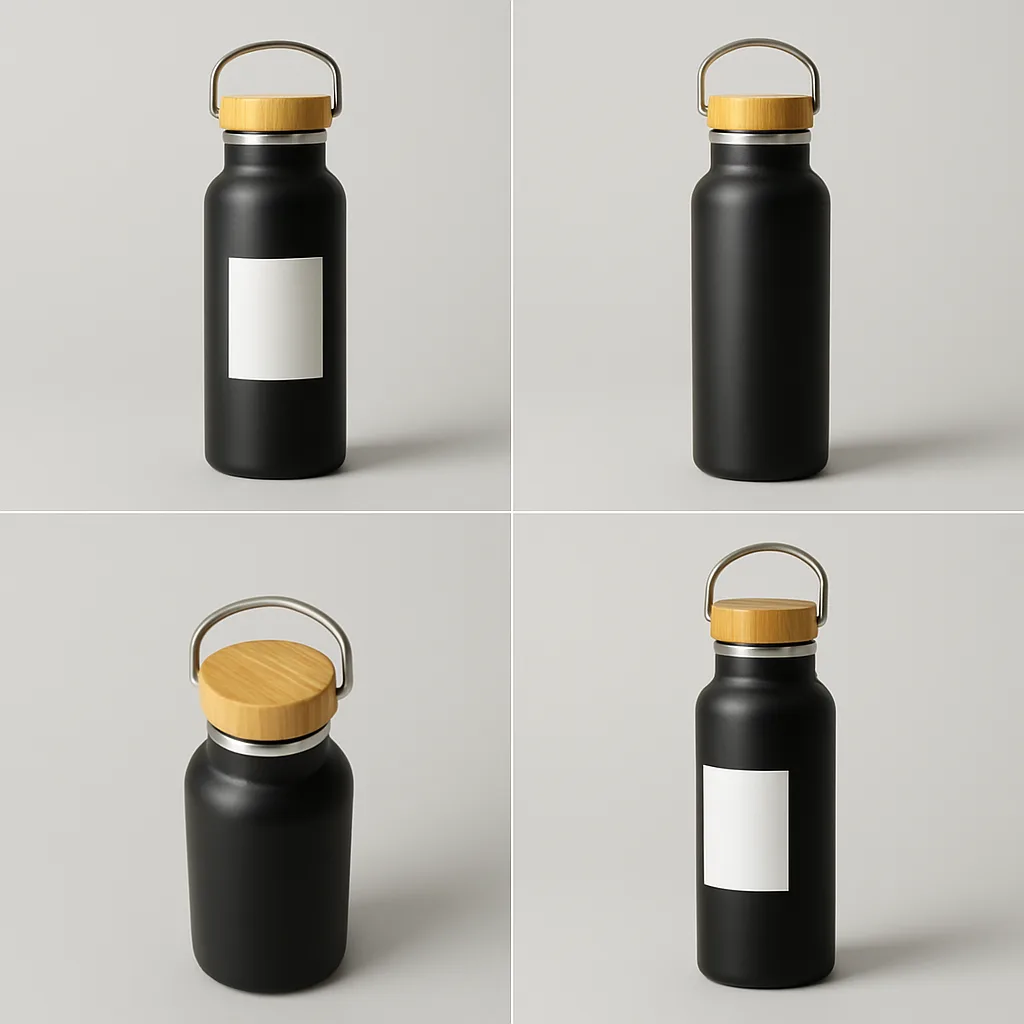
Generates new views of your product (top-down, side, three-quarter) from a single photo, keeping its design and label consistent.

Turns an ordinary selfie into a soft, natural-light portrait that looks like it was shot by a photographer beside a large window, with your face kept exactly as it is.

Places you in a black-and-white 1920s silent movie scene, with dramatic make-up, period costume and flickering, scratched film.

Turns a photo into a sunny 1960s holiday slide with rich reds and blues, period swimwear or resort clothes and a seaside backdrop.

Puts you in a bright retro ski outfit outside an alpine lodge in the 1980s, with on-camera flash, snow glare and faded film colour.

Turns your photo into a frame from a 1990s hand-drawn TV anime opening, with cel shading, film grain and a dramatic sky.

Draws you as a character in a black-and-white manga page panel, with ink linework, screentone shading and dramatic speed lines.

Makes a glossy bobblehead figure of you with an oversized head and your real outfit, standing on a car dashboard with a sunny road behind.
FAQ
Upload your photo in the Gemini app, paste the prompt and send. Each prompt says what to change and, just as carefully, what to keep: faces, poses, expressions and the background stay as they are unless the prompt asks otherwise. That is what keeps an edit looking like your photo rather than a new one.
The Gemini prompts come first, followed by portrait and style edits that also run in Gemini. Every prompt shows an example image of the kind of result to expect. Most run as pasted; a few have a blank, such as the object to swap, that you fill in on the page before you copy.
It is the popular name for the image model inside Google's Gemini app, which can create images and edit photos you upload. You don't need to pick it by name: upload a photo in Gemini and ask for an edit, and Gemini uses its image model for the job.
Image models redraw the whole picture, so small features can drift. The prompts ask the model to keep every face and expression exactly as in the original, which helps. If a face still changes, run the edit again, or crop the photo so the face is larger and clearer.
Yes. ChatGPT also edits uploaded photos, and the prompts describe the change in plain words rather than Gemini-only settings. Results differ between the two models, so if one keeps changing a detail you wanted kept, try the same prompt in the other.